
Download FTP Uploader Creator – Free FTP client, secure file‑transfer tool
Overview
FTP Uploader Creator is a lightweight, trial‑version utility designed to simplify the process of uploading files and whole folders to any standard FTP server. First introduced to the catalog in 2005, the program has been praised for its clean interface, minimal disk footprint, and reliable connection handling. Although the most recent public update dates back to December 2 2005 (version 4.9), the software still runs comfortably on modern Windows and legacy Mac OS X environments, making it a viable option for users who need a no‑frills, “just works” FTP solution.
The tool belongs to the Internet software category with a sub‑category of FTP, and it is available in English. Its primary purpose is to let users drag‑and‑drop files into a queue, set transfer parameters, and launch bulk uploads with a single click. For small‑business owners, web developers, or hobbyists who manage a handful of web sites, FTP Uploader Creator offers a secure, straightforward alternative to more complex, subscription‑based clients.
The program’s modest size means it consumes far less storage than many competitors, an advantage on older machines or on systems where every megabyte counts. While the trial version imposes a few restrictions—such as a limited number of simultaneous connections—it still provides a full‑featured experience that showcases the core capabilities of the software. Users can test the upload speed, evaluate the reliability of the built‑in retry logic, and determine whether the UI fits their workflow before deciding on a purchase. Overall, FTP Uploader Creator remains a solid, budget‑friendly option for anyone looking to transfer files securely over FTP without the overhead of large, feature‑laden suites.
Key Features & Benefits
- Drag‑and‑Drop Queue Management: Quickly add files or entire directories to the upload list by dragging them into the main window.
- Secure FTP (FTPS) Support: Encrypt data in transit using SSL/TLS, ensuring that credentials and files stay private.
- Automatic Retry Logic: Failed transfers are automatically retried up to three times, reducing the need for manual intervention.
- Bandwidth Throttling: Set maximum upload speeds to prevent saturating your internet connection.
- Batch Scheduling: Schedule uploads to run at off‑peak hours, ideal for large media libraries or backup sets.
- Simple Connection Wizard: Guided setup for host, port, username, and password, with optional passive mode toggling.
- Log File Generation: Detailed logs are saved after each session, helping troubleshoot any connectivity issues.
- Multi‑Platform Compatibility: Runs on Windows 7/8/10/11 and older Mac OS X versions, making it versatile for mixed‑environment teams.
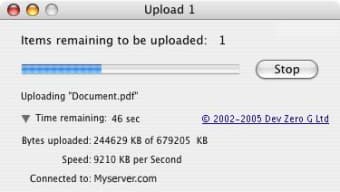
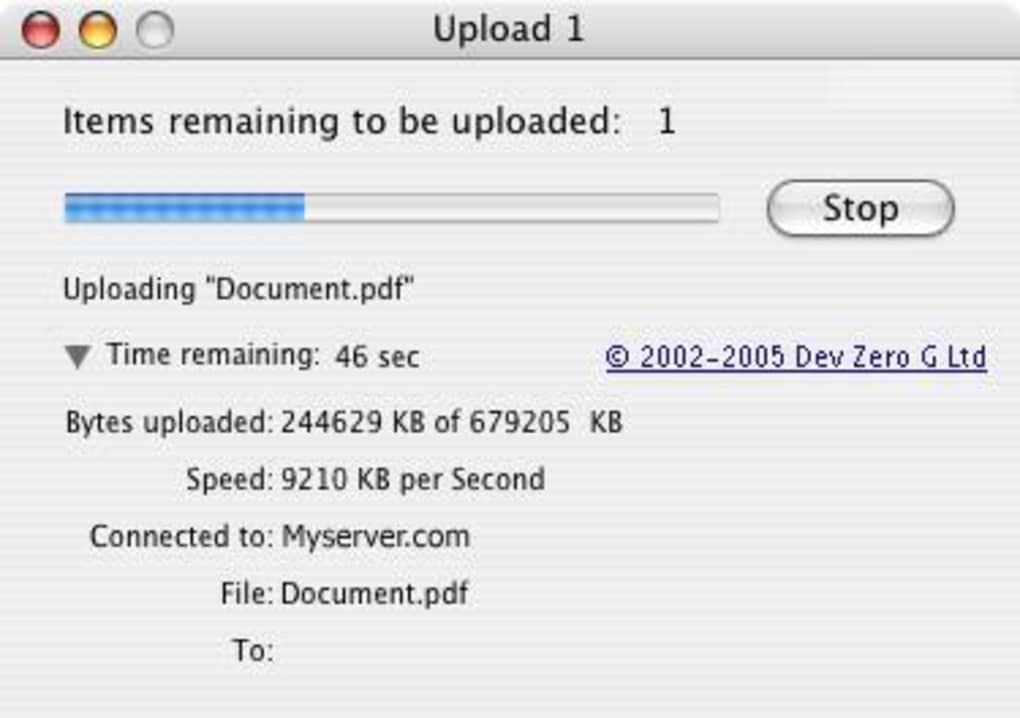
Beyond the feature list, FTP Uploader Creator’s design emphasizes ease of use. The main window is divided into three panes: a server connection panel, a file‑queue view, and a real‑time status bar that shows progress percentages, transfer speed, and estimated completion time. This layout eliminates the guesswork often found in larger clients, where settings are buried deep in menus. Additionally, the software supports both active and passive FTP modes, allowing it to adapt to a variety of firewall configurations.
From a security standpoint, the built‑in FTPS capability means you can comply with basic data‑protection policies without purchasing an additional SSL certificate manager. While the program does not include SFTP (SSH) support, the FTPS option covers the majority of commercial hosting environments that still rely on standard FTP over TLS. Users also benefit from the lightweight installer, which occupies less than 5 MB on disk and leaves no unnecessary background services after installation.
Installation, Usage & Compatibility
Step‑by‑Step Installation
Downloading and installing FTP Uploader Creator is a straightforward process:
- Visit the official download page and click the “Download Free Trial” button.
- Save the
FTP_Uploader_Creator_Setup.exe(Windows) orFTP_Uploader_Creator.dmg(Mac) file to your computer. - Run the installer and follow the on‑screen prompts. The wizard will ask you to accept the license agreement, choose an installation folder (default is
C:\Program Files\FTP Uploader Creator), and optionally create a desktop shortcut. - After the copy process completes, launch the application from the Start menu or the desktop shortcut.
- The first run will present a short welcome tour that explains the main UI elements.
Basic Usage Workflow
Once installed, using FTP Uploader Creator follows a logical three‑step workflow:
- Connect to Server: Click the “New Connection” button, enter your FTP host, port (default 21), username, and password. Enable “Use FTPS” if your server supports encrypted transfers.
- Add Files/Folders: Drag the desired files or entire directories into the queue pane, or use the “Add” button to browse manually.
- Start Upload: Press the “Upload” icon. The status bar will display real‑time progress, and you can pause or cancel at any time.
The program also offers a “Schedule Upload” option, accessible via the “Tools” menu. Here you can set a specific date and time for the queue to start automatically, making it perfect for nightly backups or off‑hour content publishing.
System Requirements & Operating Systems
FTP Uploader Creator is compatible with the following platforms:
- Windows 7, 8, 10, 11 (32‑bit and 64‑bit)
- Mac OS X 10.4 Tiger through macOS 10.15 Catalina (Intel‑based)
Minimum hardware specifications include a 1 GHz processor, 256 MB RAM, and at least 5 MB of free disk space for the application itself. Because the software relies on the native network stack of the host OS, it works seamlessly behind most firewalls and proxy servers, provided the appropriate FTP ports are open.
Pros, Cons & Frequently Asked Questions
Pros
- Extremely lightweight – under 5 MB installer.
- Intuitive drag‑and‑drop interface suitable for beginners.
- Built‑in FTPS encryption for secure file transfer.
- Automatic retry and detailed log generation.
- Supports scheduling and bandwidth throttling.
- Runs on both Windows and legacy Mac OS X.
Cons
- No native SFTP (SSH) support.
- Trial version limits simultaneous connections to three.
- Last official update was in 2005; no recent feature additions.
- Interface lacks modern dark‑mode themes.
FAQ
Is FTP Uploader Creator still safe to use despite its age?
Yes. The core FTP and FTPS protocols have not changed dramatically, and the software’s encryption implementation follows the standard SSL/TLS specifications. However, you should ensure your operating system receives security updates, and avoid using the program on compromised machines.
Can I use the free trial indefinitely?
The trial version is fully functional but imposes a limit of three simultaneous connections and disables the “Save Settings” feature. For unlimited use, you need to purchase a license.
Does the program support passive FTP mode?
Yes. Passive mode can be toggled in the connection wizard. This is useful when you are behind a firewall that blocks incoming data connections.
How do I view the upload log after a transfer?
After each session, a log file named ftp_upload_log.txt is saved in the program’s installation directory. You can open it with any text editor to review timestamps, transferred files, and any error messages.
Can I schedule uploads to run automatically?
Yes. Use the “Schedule Upload” option under the Tools menu. You can set a specific date and time, and the program will launch the queued transfers without further user interaction.
Conclusion & Call to Action
FTP Uploader Creator remains a practical, low‑overhead solution for anyone who needs to move files to an FTP server quickly and securely. While it lacks the bells and whistles of newer, subscription‑based clients, its simplicity, FTPS support, and scheduling features make it a worthy candidate for small‑scale web publishing, backup tasks, or occasional bulk uploads. If you value a straightforward interface and a tiny install size over cutting‑edge UI design, give the free trial a spin today. Download FTP Uploader Creator now and experience hassle‑free file transfers without committing to a costly license.







